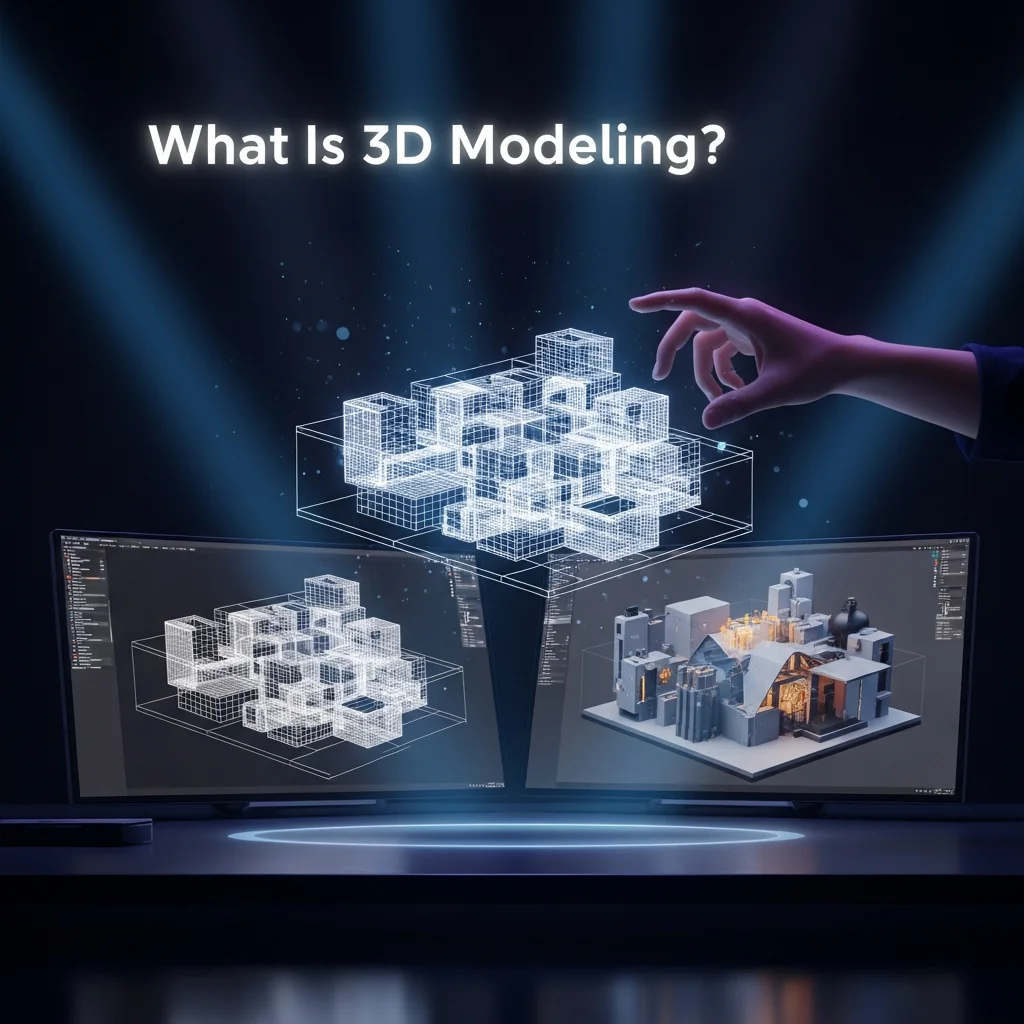
3D modeling is the process of creating three-dimensional digital representations of objects or surfaces using specialized software. Artists and designers manipulate points called vertices in virtual space. These vertices connect through edges and faces to form a polygon mesh. The result is a digital object you can view, rotate, and modify from any angle.
Think of it as digital sculpting. Instead of shaping clay with your hands, you shape geometry with software tools. You start with a basic shape like a cube or sphere. Then you push, pull, extrude, and refine it until it becomes a detailed object.
Unlike flat 2D images, 3D models carry depth, height, and width. They exist in a coordinate system built on X, Y, and Z axes. This three-dimensional space lets designers build everything from movie characters to medical implants to entire buildings.
The global 3D modeling market reached USD 2.09 billion in 2026. Industry analysts project it will grow to USD 7.42 billion by 2035 at a 15.1% CAGR. That growth reflects how deeply 3D modeling has embedded itself across nearly every professional field.
Whether you want to understand the basics or pursue a career in this space, this guide covers everything you need to know. You will learn how 3D modeling works, the different techniques professionals use, and which software fits your goals.
How 3D Modeling Differs from 2D Design, CAD, and 3D Rendering
People often confuse 3D modeling with related disciplines. Clearing up these differences matters before going deeper.
3D modeling vs 3D rendering. Modeling creates the digital object. Rendering converts that object into a finished 2D image or animation. You cannot render without a model, but a model can exist without ever being rendered. Modeling is the construction phase. Rendering is the photography phase.
3D modeling vs CAD. CAD (Computer-Aided Design) is a broader category that includes 2D drafting and 3D parametric modeling. When engineers use Fusion 360 or SolidWorks, they perform CAD-based 3D modeling focused on dimensional precision. When artists use ZBrush or Blender, they perform creative 3D modeling focused on visual detail. Both are 3D modeling, but the intent and tools differ.
3D modeling vs 3D animation. Modeling builds a static object. Animation moves that object over time through rigging, keyframing, and physics simulation. A 3D modeler creates the character. A 3D animator makes the character walk, talk, and emote.
3D modeling vs 3D printing. 3D printing is an output method. It takes a 3D model file (usually in STL format) and fabricates a physical object layer by layer. The model must exist before the print can happen.
A Brief History of 3D Modeling
3D modeling did not appear overnight. Understanding its evolution reveals why the tools work the way they do today.
The story starts in 1963 at MIT. Ivan Sutherland created Sketchpad, the first program that let users interact with computer graphics through a light pen. It was primitive by modern standards. But Sketchpad introduced the concept of manipulating shapes on a screen. That single innovation sparked an entire industry.
Through the 1970s and 1980s, researchers developed wireframe, surface, and solid modeling techniques. Early 3D models looked like skeletal frameworks built from lines and curves. Designers used them mainly for construction plans and mechanical parts. Better graphics hardware and improved algorithms gradually enabled more realistic representations.
In 1975, computer scientist Martin Newell created the Utah Teapot. This simple 3D model became the standard test object for rendering algorithms. It holds a similar cultural status to “Hello World” in programming.
The 1990s brought parametric modeling into mainstream use. Engineers could now change a model by adjusting parameters rather than rebuilding it from scratch. Autodesk, Dassault Systemes, and PTC led this revolution in industrial CAD tools.
The entertainment industry changed everything in 1995. Pixar released Toy Story, the first fully computer-animated feature film. Studios like Industrial Light and Magic (ILM) pushed visual effects boundaries in blockbusters. John Knoll, Visual Effects Supervisor at ILM, once said that in 3D, the possibilities for building the future are endless.
Today, 3D modeling extends far beyond entertainment. AI-driven tools, real-time rendering engines, cloud collaboration platforms, and browser-based modeling software have democratized access. A student with a laptop and Blender can produce work that would have required a professional studio just ten years ago.
How Does 3D Modeling Work?
At its core, every 3D model is built from geometry. Understanding the basic mechanics helps you grasp how complex creations come together from simple foundations.
Starting with Primitives
Most 3D models begin as a primitive shape. A cube, a sphere, a cylinder, or a plane. These starter shapes provide a foundation the artist builds upon. If you wanted to model a coffee mug, you might start with a cylinder for the body and a torus for the handle.
Manipulating Geometry
Once you have a primitive, you modify it using core techniques. Extrusion extends a face outward to create new geometry. Scaling changes the size of selected components. Boolean operations combine or subtract shapes to form complex forms. Every modification adjusts the position of vertices, edges, and faces within the 3D viewport.
Meshes and Polygon Density
The collection of all connected polygons forms a mesh. This mesh defines the shape and structure of the 3D model. Mesh density directly impacts quality and performance.
A low-poly model uses fewer polygons. Game developers prefer low-poly models because they render quickly on consumer hardware. A high-poly model contains millions of polygons. Film studios use high-poly models because cinematic renders prioritize visual detail over real-time performance.
The balance between polygon count and visual quality is a fundamental decision every 3D modeler makes. This balance shifts depending on the target platform, whether that is a mobile game, a console title, an animated film, or an architectural visualization project.
What Happens After Modeling
Once the model reaches its final shape, the pipeline continues. Textures add color and surface detail. Lighting establishes mood and depth. Rendering converts the 3D scene into a 2D image or animation sequence.
Two primary rendering approaches exist. Real-time rendering uses GPU-accelerated rasterization. Game engines like Unity and Unreal Engine use this method. The viewer sees results instantly. Offline rendering uses ray tracing algorithms. Software like V-Ray, Arnold, and KeyShot traces light paths for photorealistic results. This method produces higher quality but takes longer.
Types of 3D Modeling Techniques
3D modeling is not one single method. Multiple techniques exist, each suited to different applications. Professional studios often combine several techniques within a single project.
Polygonal Modeling
Polygonal modeling is the most widely used technique in the industry. Artists build objects by manipulating polygons, primarily triangles and quadrilaterals (quads). Box modeling starts with a primitive cube and refines it through subdivision and edge extrusion.
This method dominates video game production, film VFX, and character creation. Blender, Autodesk Maya, and 3ds Max all provide robust polygonal modeling toolsets. Over 90% of AAA game titles rely on polygonal modeling pipelines.
Digital Sculpting
Digital sculpting mimics traditional clay sculpting in a virtual environment. Artists push, pull, smooth, and carve digital surfaces. This technique excels at creating organic forms with fine details like skin pores, wrinkles, and fabric folds.
ZBrush from Maxon is the industry standard for sculpting. Blender also offers a powerful sculpt mode. Sculpted models typically start as high-poly meshes. Artists later optimize them through retopology workflows for production use.
NURBS Modeling
NURBS stands for Non-Uniform Rational B-Splines. This technique creates mathematically smooth surfaces using curves and control points. Engineers and automotive designers favor NURBS because it delivers exact mathematical precision.
Rhinoceros 3D (Rhino) is the leading NURBS modeling software. Autodesk Maya also supports NURBS workflows. Car manufacturers use NURBS modeling extensively for body panel design where smooth, flowing surfaces are critical.
Procedural Modeling
Procedural modeling generates 3D content through rules, algorithms, and parameters rather than manual construction. This approach saves enormous time when creating large-scale environments. Think forests, cities, terrain, or architectural facades with repeating patterns.
Houdini from SideFX is the leading procedural modeling platform. The film and VFX industry relies heavily on Houdini for effects-heavy productions. Procedural techniques also power terrain generation in open-world video games.
Parametric and CAD Modeling
Parametric modeling uses dimension-driven design. You define an object through measurements, constraints, and relationships between features. Change one parameter, and the entire model updates automatically.
Fusion 360 and SolidWorks lead the engineering CAD space. FreeCAD offers an open-source alternative. Mechanical engineers, product designers, and industrial manufacturers depend on parametric modeling for precision prototyping. This technique connects directly to CNC machining and additive manufacturing workflows.
Surface Modeling
Surface modeling focuses on creating and evaluating the exterior shell of objects. Unlike solid modeling, surface models do not carry volume information. Designers use surface modeling to inspect smooth curves, check for imperfections, and refine complex shapes.
This technique is common in automotive styling, consumer electronics design, and aerospace component development.
Wireframe Modeling
Wireframe modeling represents objects as skeletal structures made from points, lines, and curves. No surfaces or textures exist. Wireframes serve as quick previews and structural assessments during early design phases.
While rarely used as a final output today, wireframe views remain essential for understanding complex geometry and evaluating model topology within any 3D software.
Photogrammetry and 3D Scanning
Photogrammetry captures real-world objects and environments as 3D models. Specialized software analyzes overlapping photographs taken from multiple angles. It calculates depth information and reconstructs a textured 3D mesh.
LiDAR scanners take a more direct approach. They measure distances using laser pulses to create precise point clouds. Apple devices now include LiDAR sensors, bringing 3D scanning to consumer smartphones. Professional tools like RealityCapture, Metashape, and 3DF Zephyr process scan data into production-ready models.
Heritage preservation projects, forensic analysis, and game development all use photogrammetry to capture real-world detail that would take months to model manually.
Organic Modeling vs. Hard Surface Modeling
The 3D modeling world broadly divides into two categories.
Organic modeling covers natural and living subjects. Characters, creatures, plants, animals, and terrain fall into this category. Organic modelers typically rely on sculpting tools and subdivision surfaces. The forms are irregular, flowing, and complex.
Hard surface modeling covers manufactured objects. Vehicles, weapons, buildings, machinery, and props are hard surface subjects. Hard surface modelers use precise edge control, Boolean operations, and clean topology. The forms are geometric, angular, and engineered.
Professional modelers often specialize in one category. However, overlap exists frequently. A character wearing armor requires both organic skills for the body and hard surface skills for the armor plates. Game titles like Overwatch showcase this blend beautifully.
The 3D Modeling Process: Step by Step
Creating a production-quality 3D model follows a structured pipeline. While the exact workflow varies by industry and project, these steps represent the standard process that professionals follow worldwide.
Step 1: Concept Art, References, and Model Sheets
Every successful model begins with strong reference material. Concept artists produce character sheets, environment sketches, or product blueprints. These references guide proportions, silhouette, and detail decisions.
Professionals build reference boards with photographs, drawings, and existing designs. Some directors maintain entire libraries of photo references. Working without references leads to proportion errors and wasted revision cycles.
Step 2: Blockout and Proxy Modeling
The blockout stage establishes the overall shape using simple geometry. Artists place primitive shapes to define major forms, proportions, and spatial relationships. No detail work happens here.
This stage is critical for getting director or client approval on the overall vision before investing hours in detail work. Blockouts are fast to create and easy to modify.
Step 3: High-Poly Sculpting and Detailing
Once the blockout is approved, artists add complexity. Using sculpting tools in ZBrush or Blender, they carve fine details into the mesh. Wrinkles, surface textures, mechanical details, and organic imperfections all take shape during this stage.
High-poly models can contain millions of polygons. They capture every visual nuance but are far too heavy for real-time applications.
Step 4: Retopology
Retopology rebuilds the high-poly mesh into a clean, optimized version. The new mesh uses efficient edge flow that follows the natural contours of the model. Clean topology matters enormously for two reasons.
First, animated models need proper edge loops around joints. A knee that bends requires specific polygon arrangements to deform smoothly. Second, game engines have strict polygon budgets. A character model for a mobile game might need to stay under 10,000 triangles.
Step 5: Baking
Baking transfers the visual detail from the high-poly model onto the low-poly version. The process generates texture maps that simulate detail without requiring heavy geometry.
Normal maps create the illusion of surface bumps and grooves. Displacement maps physically offset geometry for added depth. Ambient occlusion maps darken crevices for realistic shadowing. This technique lets game assets look detailed while maintaining real-time performance.
Step 6: UV Unwrapping and UV Mapping
UV unwrapping flattens the 3D mesh surface into a 2D layout. Think of it like unfolding a cardboard box. This flat layout, called a UV map, determines how textures wrap around the model.
Good UV layouts minimize stretching and maximize texture resolution across important surfaces. Faces, hands, and focal points get more UV space. Hidden areas like the bottom of shoes get less.
Step 7: Texturing and Materials
Texturing adds visual identity to the model. Using PBR (Physically Based Rendering) workflows, artists define how surfaces respond to light.
Adobe Substance 3D Painter is the industry standard for texturing. Artists paint directly onto the 3D model, applying color (albedo), roughness, metallic properties, and surface normal information. Materials can be hand-painted, procedurally generated, or derived from high-resolution photographs.
The PBR approach ensures materials look consistent across different lighting environments. A rusty metal surface will behave like real rust under any light condition.
Step 8: Rigging
Rigging creates a digital skeleton inside the model. Bones, joints, and control handles let animators move the character naturally. A human character rig includes spine, limbs, fingers, and facial controls.
Modeling decisions directly affect rigging quality. Topology around the shoulders, elbows, knees, and mouth must follow specific patterns. Poor edge flow in these areas causes ugly deformation when the character moves.
Step 9: Lighting, Rendering, and Post-Processing
The final visual stage places the model in a scene with lighting and camera settings. Artists position lights to create mood, depth, and emphasis.
Rendering engines then calculate the final image. V-Ray and Arnold dominate architectural and film rendering. KeyShot serves product visualization. Unreal Engine and Unity handle real-time game rendering.
Post-processing adds final adjustments. Color grading, bloom, depth of field, and chromatic aberration polish the output into a finished image or animation sequence.
Step 10: Level of Detail (LOD) and Polygon Budgets
For real-time applications like games and AR experiences, artists create multiple LOD versions of the same model. A character seen up close uses the highest polygon count. That same character viewed from a distance switches to a simpler version automatically.
Polygon budgets vary dramatically across platforms. A current-generation console game character might use 50,000 to 100,000 polygons. A mobile game character might use 5,000 to 15,000. An AR model for e-commerce product might need to stay under 75,000 to load smoothly on smartphones.
What Is 3D Modeling Used For: Industry Applications
3D modeling powers more industries than most people realize. Here are the major sectors that depend on it daily.
Film, VFX, and Television
The entertainment industry consumes enormous volumes of 3D content. Every creature, spaceship, explosion, and fantasy landscape in modern blockbusters starts as a 3D model. Studios like ILM, Weta Digital, and Framestore employ hundreds of modelers across productions.
Television has followed the same path. Productions that once relied on practical effects now use 3D modeling for set extensions, digital doubles, and environmental effects.
Video Games and Interactive Media
The global video game market surpassed USD 282 billion in 2024. A significant portion of that growth is driven by 3D modeling and immersive graphics. Every character, weapon, vehicle, environment, and prop in a modern game exists as a 3D model.
Titles like Red Dead Redemption 2 demonstrate what thousands of meticulously crafted 3D assets can achieve. Virtual reality gaming pushes this further by requiring fully three-dimensional worlds the player physically inhabits.
Architecture, BIM, and Interior Design
Architects use 3D models to visualize designs long before construction begins. Building Information Modeling (BIM) takes this further. BIM models carry data about materials, costs, structural loads, and energy performance alongside the visual representation.
Autodesk Revit and SketchUp dominate architectural 3D modeling. Interior designers create photorealistic room renderings to help clients visualize furniture layouts, material choices, and lighting plans.
Product Design and Manufacturing
Before any physical product exists, it lives as a detailed 3D model. Designers test form, function, and ergonomics digitally. This virtual prototyping saves enormous time and material costs compared to building physical prototypes for every design iteration.
3D models feed directly into manufacturing through CNC machining and 3D printing pipelines. The same digital file that a designer reviews on screen can become a physical prototype within hours.
Automotive and Aerospace Engineering
Car manufacturers use 3D modeling for everything from body panel design to crash simulation. Many automotive commercials feature entirely 3D-generated vehicles. The imagery is so photorealistic that viewers cannot distinguish it from camera footage.
Aerospace companies model aircraft components, simulate aerodynamics, and test structural integrity digitally before building physical prototypes.
Medical Imaging, Surgical Planning, and Prosthetics
Medical professionals create 3D models of patient anatomy from CT and MRI scan data. Surgeons use these models to plan complex procedures before entering the operating room.
Custom prosthetics and implants are designed as 3D models tailored to individual patient anatomy. 3D printing then fabricates these devices with a precise fit. This workflow has transformed treatment outcomes in orthopedics, dental surgery, and reconstructive medicine.
Virtual Reality (VR) and Augmented Reality (AR)
VR and AR applications rely entirely on 3D content. Every object the user sees and interacts with in a virtual environment is a 3D model. Training simulations, real estate walkthroughs, retail experiences, and therapeutic applications all depend on high-quality 3D assets.
Education, Training, and Simulation
Flight simulators, medical training systems, and military exercises use 3D modeled environments. Students interact with realistic virtual scenarios in safe, controlled settings. Geography, biology, engineering, and history courses increasingly use 3D visualization to teach spatial concepts.
3D Printing and Additive Manufacturing
3D printing cannot exist without 3D modeling. Every printed object begins as a digital model exported in STL or OBJ format. The printer reads the file and fabricates the object layer by layer.
Applications range from rapid prototyping in product design to custom medical implants to architectural scale models. The maker community has fueled consumer adoption through platforms like Thingiverse and MyMiniFactory.
E-Commerce, Virtual Photography, and Digital Twins
Many product images on major retail websites are actually 3D renders, not photographs. IKEA pioneered this approach. A single 3D model generates unlimited product shots across different angles, colors, and room settings without scheduling a single photo shoot.
Digital twins take this concept further. A digital twin is a real-time 3D replica of a physical asset, process, or system. Manufacturing plants, smart buildings, and infrastructure projects increasingly maintain digital twins for monitoring, simulation, and optimization.
Fashion and Apparel Design
Fashion brands like Hugo Boss use 3D modeling to prototype garments digitally. Designers visualize fabrics, patterns, and fits on virtual mannequins before cutting a single piece of cloth. Marvelous Designer specializes in realistic cloth simulation for this industry.
AR try-on experiences let consumers see how clothing, shoes, and accessories look on their bodies through smartphone cameras.
3D Modeling Software: Complete Comparison
Choosing the right software depends on your goals, budget, and target industry. Here is a comprehensive overview of the tools professionals use.
Free and Open-Source
Blender is the most powerful free 3D modeling software available. It handles modeling, sculpting, texturing, rigging, animation, rendering, compositing, and video editing. The community produces thousands of free tutorials. Blender runs on Windows, Mac, and Linux under the GNU General Public License.
Tinkercad from Autodesk is the simplest entry point for absolute beginners. It runs in a web browser and uses a drag-and-drop interface with primitive shapes. Tinkercad works well for educational settings and basic 3D printing projects.
FreeCAD is an open-source parametric modeler for engineering and product design. It reads and writes STEP, IGES, STL, and OBJ formats. FreeCAD serves as a capable free alternative to SolidWorks for hobbyists and students.
Film and Animation Standard
Autodesk Maya is the industry standard for film, television, and game animation. Most professional studios require Maya experience when hiring. It offers advanced polygonal modeling, NURBS support, and deep animation tools.
3ds Max from Autodesk is popular for architectural visualization and game asset creation. It offers robust modeling tools and flexible plugin architecture.
Sculpting
ZBrush from Maxon is the dominant digital sculpting application. It handles models with billions of polygons. Character artists, creature designers, and concept sculptors rely on ZBrush for its unmatched detail capabilities.
Motion Graphics
Cinema 4D from Maxon is widely used in motion graphics, broadcast design, and advertising. Its integration with Adobe After Effects makes it popular among designers who combine 3D with motion work.
Architecture
SketchUp from Trimble provides an intuitive interface for architectural modeling. AutoCAD handles technical 2D and 3D drafting. Revit focuses specifically on BIM for building design and construction documentation.
Engineering and CAD
Fusion 360 from Autodesk combines parametric modeling, simulation, and manufacturing tools in a cloud-connected platform. SolidWorks from Dassault Systemes dominates mechanical engineering. Rhinoceros 3D excels at complex freeform NURBS surfaces for industrial design.
Texturing
Substance 3D Painter from Adobe is the standard for PBR texture painting. Marvelous Designer specializes in cloth and garment simulation.
Procedural and VFX
Houdini from SideFX powers procedural modeling and complex visual effects. Feature films and AAA game studios depend on Houdini for destruction simulations, particle effects, and procedural environment generation.
Game Engines
Unity and Unreal Engine from Epic Games are not modeling tools themselves. But they serve as the destination platforms where 3D models come alive in interactive experiences. Both engines provide real-time rendering, physics simulation, and deployment across platforms.
Rendering
V-Ray from Chaos Group delivers photorealistic rendering for architecture and film. KeyShot from Luxion focuses on product visualization with rapid setup. Arnold from Autodesk powers rendering pipelines at major animation studios.
Browser-Based Tools
Spline offers real-time collaborative 3D design directly in the browser. Vectary provides web-based modeling with AR preview capabilities. SelfCAD combines modeling, sculpting, and 3D printing preparation in a single browser platform.
How to Choose the Best Software
Start by identifying your goal. For creative arts and entertainment, begin with Blender. For engineering and product design, try Fusion 360 or FreeCAD. For architecture, explore SketchUp. For sculpting characters, invest time in ZBrush. Match the tool to the discipline, not the other way around.
3D Model File Formats: Which One to Use and When
Every 3D model gets saved in a specific file format. Different formats serve different purposes. Choosing the wrong format can cause data loss or compatibility problems.
.OBJ is the universal exchange format. Nearly every 3D application reads and writes OBJ files. It stores geometry and basic material data. Use OBJ when sharing models between different software platforms.
.FBX is the standard for animation and game engine workflows. It carries geometry, textures, rigging, and animation data in a single file. Unity and Unreal Engine both import FBX natively.
.STL is the standard for 3D printing. It stores only surface geometry without color or texture information. Every 3D printer and slicing software supports STL.
.GLTF and .GLB serve web and AR delivery. The Khronos Group developed these formats for efficient real-time rendering. E-commerce platforms and AR applications increasingly adopt GLTF as the delivery standard.
.STEP and .IGES serve engineering and CAD exchange. These formats carry precise geometric data that manufacturing equipment requires. Engineers share STEP files between SolidWorks, Fusion 360, and CNC machines.
Native formats like .BLEND (Blender), .MA/.MB (Maya), and .MAX (3ds Max) store everything the software needs. They preserve full editing capability but only open in their respective applications.
AI and 3D Modeling: How Machine Learning Is Changing the Field
Artificial intelligence is transforming how 3D content gets created. The changes are real but nuanced.
Text-to-3D Generation
Tools like Meshy, Tripo, and Luma Genie generate 3D models from text descriptions. Type a prompt, and the system produces a textured 3D object within minutes. These tools use diffusion models adapted from image generation AI.
Current text-to-3D results work well for concept exploration and placeholder assets. Production-quality characters and hero assets still require human modelers. The precision, topology, and optimization that AI cannot yet deliver consistently remain clear limitations of the technology.
AI-Assisted Production Tasks
AI is making the biggest practical impact on tedious pipeline tasks. Automated retopology tools rebuild mesh topology in minutes instead of hours. AI-powered UV unwrapping reduces manual layout work. Texture generation AI creates material variations from simple prompts.
These tools do not replace modelers. They free modelers from repetitive tasks so they can focus on creative and structural decisions.
NeRFs and Gaussian Splatting
Neural Radiance Fields (NeRFs) reconstruct 3D scenes from photograph collections using neural networks. Gaussian Splatting offers a faster alternative that renders captured scenes in real time. Both technologies enable rapid 3D capture of real-world environments.
These methods are transforming virtual production, heritage preservation, and real estate visualization. They complement traditional modeling rather than replacing it.
NVIDIA Omniverse and Cloud Pipelines
NVIDIA Omniverse connects 3D tools into collaborative, cloud-based pipelines. Teams across multiple countries work on the same scene simultaneously. Hexagon partnered with NVIDIA to embed Omniverse Cloud into its HxDR platform for real-time editing of massive point clouds.
Cloud-based rendering and collaboration platforms are reducing hardware barriers. Artists no longer need workstation-class machines for every task.
Where Human Skill Still Dominates
AI cannot replace the artistic judgment that determines whether a character design communicates the right emotion. It cannot make topology decisions that account for animation requirements months later in the pipeline. It cannot interpret a creative director’s vision from a vague brief.
The modelers who thrive in the AI era will be those who use AI tools to accelerate their work while applying human judgment to the decisions that matter most.
3D Modeling Careers: Roles, Salaries, and How to Break In
3D modeling offers viable career paths across multiple industries. The demand for skilled modelers continues growing alongside the industries they serve.
Common Job Titles
Specialization drives hiring in professional studios. The most common roles include Character Artist, Environment Artist, Hard Surface Modeler, Props Artist, Technical Artist, and Lighting Artist. Smaller studios may combine several roles. Larger studios expect deep specialization in one area.
Salary Ranges
According to the Bureau of Labor Statistics, the median salary for 3D modelers and animators was approximately USD 78,790 per year in 2026. Entry-level positions typically start around USD 45,000 to USD 55,000. Senior artists and technical directors at major studios earn USD 90,000 to USD 130,000 or more depending on location and specialization.
Salary varies significantly by industry. Film and AAA game studios in Los Angeles, Vancouver, and London typically pay higher than smaller studios in other markets.
Portfolio Building
Studios hire based on portfolio quality, not credentials alone. Focus on complete, polished pieces rather than quantity. Two exceptional models beat twenty mediocre ones.
For game industry roles, show wireframe renders alongside final textured versions. Demonstrate your understanding of high-poly to low-poly baking workflows. Include polygon counts. Studios want to see that you understand production constraints.
Freelancing and Selling 3D Assets
Independent income streams exist beyond studio employment. Platforms like TurboSquid (owned by Shutterstock), Sketchfab, CGTrader, Gumroad, and Unity Asset Store let artists sell 3D models directly to buyers worldwide.
Some freelance modelers build sustainable businesses serving architecture firms, product designers, and game developers. ArtStation serves as both a portfolio platform and a professional networking hub for the 3D industry.
Market Growth
The 3D modeling software market was valued at USD 38.7 billion in 2026 and is projected to reach USD 76.1 billion by 2035. The broader 3D mapping and modeling market reached USD 9.74 billion in 2026 with a 13.62% CAGR projection through 2031.
Entertainment and media account for roughly 28 percent of market revenue. Healthcare represents the fastest-growing segment at a 14.61 percent CAGR. More than 70 percent of modern product designs now originate as 3D models before physical prototyping. An honest look at these numbers tells you the industry is not slowing down.
How to Learn 3D Modeling: A Practical Beginner’s Roadmap
Learning 3D modeling is accessible to anyone with a computer and internet connection. The path requires patience, consistent practice, and choosing the right starting point.
Start with Free Software
Blender is the recommended starting platform for most beginners. It is free, powerful, and supported by the largest community of tutorial creators. If Blender feels overwhelming, start with Tinkercad to understand basic 3D concepts. Then graduate to Blender once you feel comfortable navigating 3D space.
For engineering-focused learners, Fusion 360 offers a free personal use license. It teaches parametric modeling principles that transfer directly to professional CAD environments.
Core Skills to Build First
Master viewport navigation before anything else. Orbit, pan, and zoom should feel automatic. Next, learn to work with primitives and basic transformations. Then practice extrusion, loop cuts, and edge flow. These foundational skills underpin every modeling technique.
Reference images are not optional. Even professional modelers with decades of experience use reference material on every project. Insert reference images into your viewport and model against them.
Structured Courses vs. Self-Teaching
YouTube offers thousands of free tutorials. Channels like Blender Guru have guided hundreds of thousands of beginners through their first projects. CG Cookie provides structured learning paths with professional instruction.
Paid platforms like Udemy, Coursera, and Skillshare offer organized courses that progress from beginner to advanced. Formal education through university programs or specialized schools like CG Spectrum and 3dsense Media School provides mentorship and industry connections.
For most beginners, starting with free YouTube tutorials and supplementing with a structured paid course produces the best results.
Practice Projects That Build Real Skills
Start simple. A coffee mug teaches cylinder modeling, handle extrusion, and basic materials. A low-poly tree teaches vertex manipulation and color. A treasure chest teaches hard surface modeling with hinges and metal textures.
Progress to intermediate projects: a stylized character, a game-ready weapon, an architectural room interior. Each project introduces new techniques and challenges.
Communities and Resources
Join online communities where you can share work and receive feedback. Polycount hosts professional game art discussions. ArtStation showcases professional portfolios and job listings. BlenderArtists supports the Blender community specifically.
Participating in these communities accelerates learning faster than working in isolation.
Is 3D Modeling Hard to Learn?
The basics are accessible to anyone willing to invest time. Most beginners create recognizable objects within their first week. Reaching professional competence typically takes 6 to 12 months of consistent daily practice. Mastery is an ongoing journey that experienced artists continue throughout their careers.
The learning curve varies by software. Tinkercad takes hours to learn. Blender takes weeks. ZBrush and Maya take months to use effectively.
Is 3D Modeling Worth Learning in 2026?
The market data speaks clearly. A USD 9.74 billion industry growing at 13.62% annually does not contract. Every indicator points toward increasing demand for 3D content across entertainment, e-commerce, healthcare, architecture, and manufacturing.
AI tools are not eliminating 3D modeling jobs. They are shifting the skillset. Modelers who embrace AI-assisted workflows will produce more work at higher quality. The professionals who resist new tools risk falling behind.
Hardware Requirements
3D modeling does not require extreme hardware for beginners. A modern laptop with a dedicated GPU, 16 GB of RAM, and an SSD handles Blender and similar tools adequately for learning.
Professional work benefits from more power. A workstation with 32 to 64 GB RAM, an NVIDIA GeForce RTX or AMD Radeon RX series GPU with at least 8 GB VRAM, and a multi-core CPU handles complex scenes and rendering efficiently.
Frequently Asked Questions About 3D Modeling
What is 3D modeling in simple terms?
3D modeling is the process of creating a digital three-dimensional object using specialized software. You shape virtual geometry to build anything from characters and buildings to products and medical models. The result can be viewed from any angle and used across industries including film, gaming, architecture, and healthcare.
What is the difference between 3D modeling and 3D rendering?
3D modeling creates the digital object by defining its shape, structure, and surface details. 3D rendering converts that object into a finished 2D image or animation by calculating lighting, shadows, and visual effects. Modeling comes first in the workflow. Rendering comes after. You need a model before you can render, but a model can exist without ever being rendered.
What is the difference between CAD and 3D modeling?
CAD (Computer-Aided Design) is a broader discipline that includes 3D modeling as one of its components. CAD focuses on precision engineering with exact measurements and manufacturing specifications. 3D modeling in entertainment focuses on visual quality and artistic expression. Both create three-dimensional digital objects, but the intent, tools, and output standards differ.
Can you do 3D modeling on a laptop?
Yes. Modern laptops with dedicated GPUs handle 3D modeling software effectively. For learning and moderate-complexity projects, a laptop with 16 GB RAM, a dedicated NVIDIA or AMD GPU, and an SSD provides a capable working environment. Very complex scenes with millions of polygons benefit from desktop workstation hardware.
What is the best free 3D modeling software?
Blender is the most capable free 3D modeling software available. It covers modeling, sculpting, texturing, animation, rendering, and compositing. For complete beginners, Tinkercad offers a simpler starting point. For engineering and CAD work, FreeCAD and Fusion 360 (free personal license) provide professional parametric modeling capabilities.
How long does it take to learn 3D modeling?
Basic competence takes 2 to 4 weeks of consistent daily practice. Creating portfolio-quality work typically requires 6 to 12 months. Professional-level mastery is an ongoing process. The timeline depends on your chosen software, learning resources, practice consistency, and target industry.
Can AI replace 3D modelers?
AI tools are augmenting 3D modeling workflows, not replacing skilled modelers. Text-to-3D generators create rough assets quickly. AI handles tedious tasks like retopology and UV unwrapping. But artistic judgment, production-ready topology, animation-ready edge flow, and creative problem-solving remain human skills. The profession is evolving, not disappearing.
What file format is best for 3D printing?
STL is the most widely supported format for 3D printing. Nearly every 3D printer and slicing software accepts STL files. For models that need color information, OBJ with material files or 3MF format provide better options. Always ensure your model is watertight (no holes in the mesh) before exporting for printing.
How much do 3D modelers earn per year?
The median salary for 3D modelers and animators in the United States was approximately USD 78,790 per year in 2026, according to Bureau of Labor Statistics data. Entry-level positions start around USD 45,000. Senior artists and specialists at major studios earn USD 90,000 to USD 130,000 or more. Freelance income varies widely based on client base and specialization.
What is the difference between 3D modeling and 3D animation?
3D modeling creates a static digital object. 3D animation makes that object move over time. A modeler builds a character’s body, face, and clothing. An animator rigs that character with a digital skeleton and creates movement through keyframes, motion capture, or physics simulation. Both skills are distinct specializations, though some professionals work across both disciplines.